This release adds bug fixes and improvements to PerfectTablePlan v7.2.1. You will require a v7 licence key to unlock the full functionality. v7 is a paid upgrade from v6 (free if you purchased v6 within 3 months of v7 being released). You can buy a new licence key here (or upgrade from a previous version here). See also our upgrade FAQ.
We recommend that you back-up important plan files before installing any new release.
The download links are at the bottom of the page.
Backward/forward compatibility
This version can read plan (.tp) files saved by any earlier version of PerfectTablePlan. But reading v7 plans into v6 (or earlier) may lose some data.
System requirements
| Windows | Mac | |
| OS versions |
Windows 11, 64 bit, Intel processor Windows 10 v1809 or later, 64 bit, Intel processor Windows 11, 64 bit, ARM processor |
macOS 27 to 11.x, ARM M series or Intel processor |
All editions
Windows and Mac
1. You can now use the following HTML tags for text items in the Stationery pane:
- Line break: <br>
- Bold: <b>…</b>
- Italic: <i>…</i>
- Big: <big>…</big>
- Small: <small>…</small>
This allows you to have more control over the appearance of text:
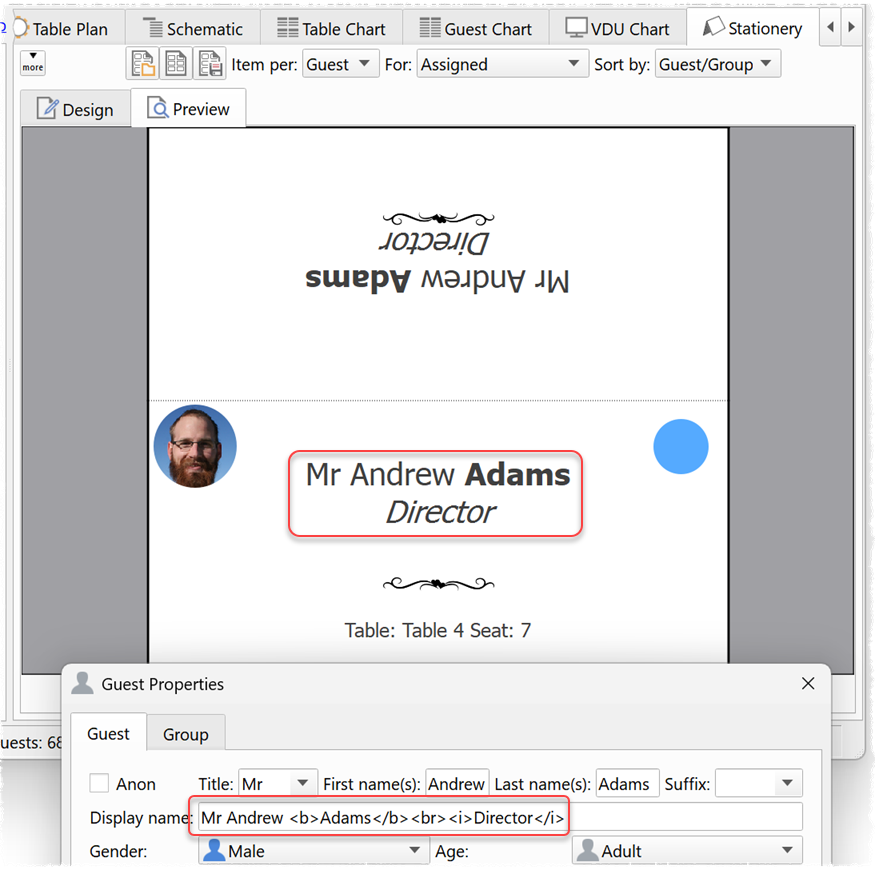
If you want to interpret a stationery text item as HTML, make sure the HTML button is checked for that text:
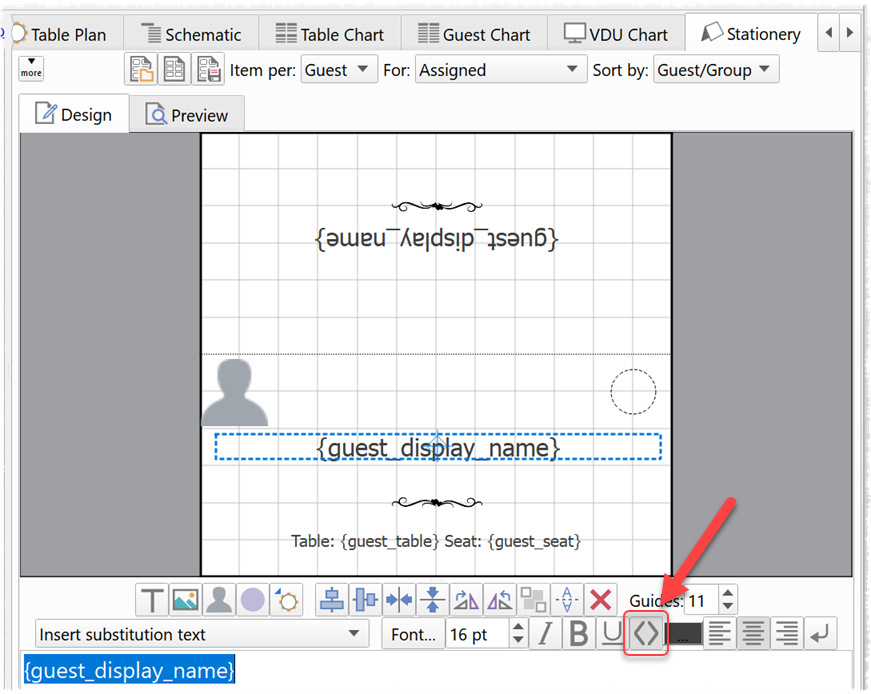
The underlying libraries sometimes seem to cache the HTML rendering very aggressively, especially on Mac. This means it may sometimes be necessary re-open the file to see the effect of HTML tag changes.
2. The use of ‘**’ in the Display name field was deprecated some time ago and is no longer supported. Plan files read in from previous versions of PerfectTablePlan that contain ‘**’ will be converted to HTML in v7.3.0. For example Display name:
John Smith**MBE
Will be converted to Display name:
John Smith<br><i>MBE</i>
If you have any questions about this, please contact support.
3. Support has been added for WEBP format images files:
- In the Floor Plan pane.
- In the Stationery pane.
- As an export image format.
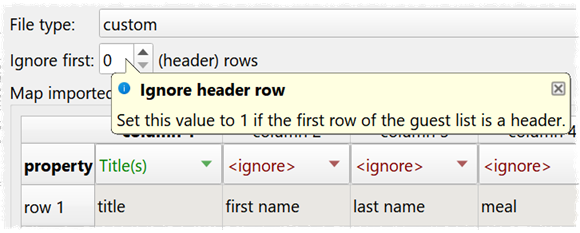
4. A warning is now shown if the first row of the guest list is likely a header during import.
5. A warning is now shown if Title(s), First name(s), Last name(s), Suffix(es) or Full name(s) column contains any of the following separators during import, and single guest per cell is not checked:
- ’,’ (comma)
- ‘&’ (ampersand)
- ’+’ (plus)
- ‘and’
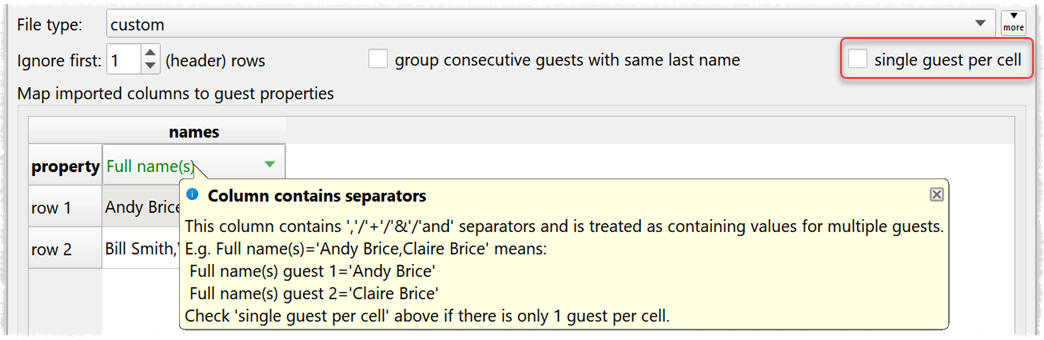
6. The single guest per cell and group consecutive guests with same last name checkboxes have been moved to a more visible location in the Import Data window.
7. Various improvements to how warning messages are shown in the Import Data window.
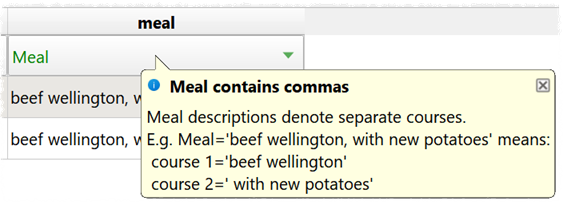
8. A warning is now shown if a Meal column contains commas during import.
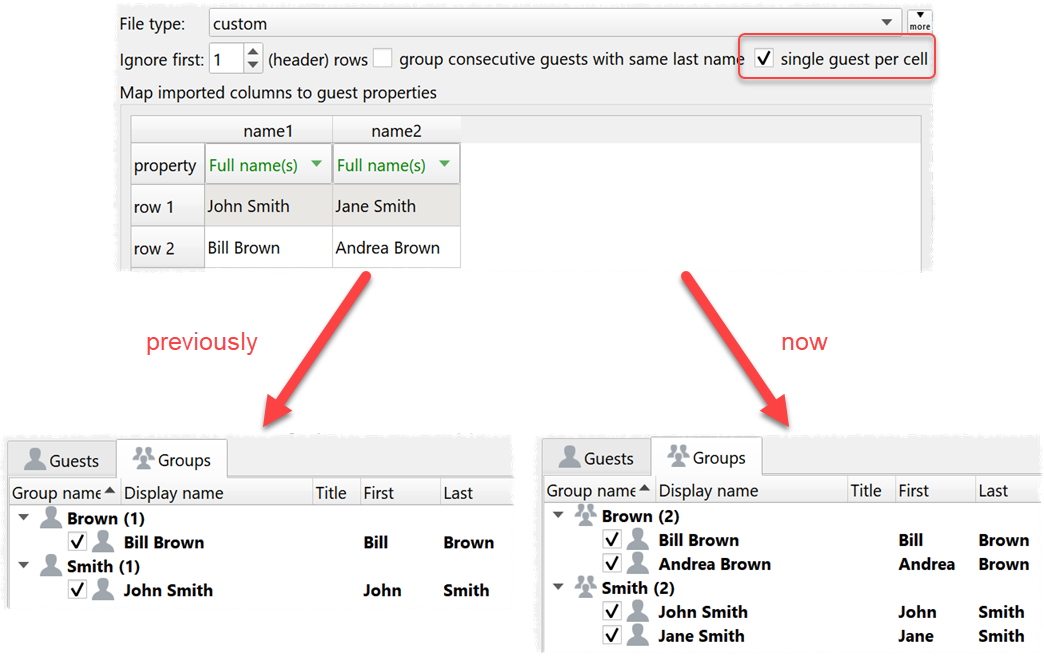
9. Previously it was only possible to import a single guest per row when single guest per cell is checked. This is now fixed.
10. Previously stationery was not always correctly exported to PDF when Display was set to Item in the Stationery pane. This is now fixed.
11. The units drop-down in the Stationery pane was sometimes displayed in Millimeters when it should have been displayed in Inches. This is now fixed.
12. You can now Edit>Undo a Multi-Level Sort operation in the Guests or Groups pane.
13. The plan file is now marked as needing saving after manually changing the width of a column in the Guests or Groups pane.
Windows only
14. Windows Dark mode only works reliably with Preferences>User interface style set to Fusion. You are now warned if you choose Windows 11 or Windows style with Windows Dark mode.
Mac only
15. Any PerfectTablePlan configuration files stored in the home folder are now moved to ~/Library/Application Support/PerfectTablePlan.