
Read about the real world experiences of some of our customers with PerfectTablePlan:
- Biennial Convention, Union for Reform Judaism
- Annual General Meeting and conference, Federation of Small Businesses
- Charity fundraiser, Saint Vincent de Paul Society
- Anniversary dinner, Rank Foundation
- Company conference dinner, NERA
- National Prayer Breakfast, Canberra
- Anniversary dinner, Doncaster YMCA
- Wedding reception, Cathrin D'Entremont Weddings
Biennial Convention, Union for Reform Judaism

 "The
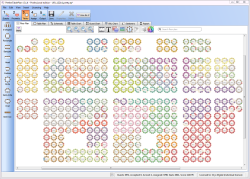
Union for Reform Judaism Biennial Convention attracts people from
across North America and the world and was this year in San Diego,
California. We do a large dinner with everyone in attendance - all
4,000 people - once during the event seating people based on their home
communities. This process has always been a complicated process done by
hand involving numerous staff members, thousands of pieces of paper,
and challenging record keeping. This year, using PerfectTablePlan, we
significantly reduced the number of our staff, and time spent, on
seating. We also had better records, and were much more able to make
adjustments as needed with the help of the software."
"The
Union for Reform Judaism Biennial Convention attracts people from
across North America and the world and was this year in San Diego,
California. We do a large dinner with everyone in attendance - all
4,000 people - once during the event seating people based on their home
communities. This process has always been a complicated process done by
hand involving numerous staff members, thousands of pieces of paper,
and challenging record keeping. This year, using PerfectTablePlan, we
significantly reduced the number of our staff, and time spent, on
seating. We also had better records, and were much more able to make
adjustments as needed with the help of the software."
Solly Kane, Director of North American Events, Union for Reform Judaism
http://www.reformjudaism.org
Annual General Meeting and conference, Federation of Small Businesses
 "I
am a member of The Federation of Small Businesses, commonly known as
the FSB. It is a member led organisation, that lobbies the
government and whose aim is promoting and protecting the rights of Self
Employed and Small Businesses. Every year they hold the AGM and
Conference, with approx 800 people attending. This is a three day
event, and my responsibility as part of conference co-ordinating
committee, is the social and catering during the event.
"I
am a member of The Federation of Small Businesses, commonly known as
the FSB. It is a member led organisation, that lobbies the
government and whose aim is promoting and protecting the rights of Self
Employed and Small Businesses. Every year they hold the AGM and
Conference, with approx 800 people attending. This is a three day
event, and my responsibility as part of conference co-ordinating
committee, is the social and catering during the event.
When I took over the role, the previous person used to do the table lists, and seating plan with pencil and paper. At first I improved on this, by using an excel spread sheet, but the obvious problems of ensuring everyone was placed in a seat began to make the job very stressful. So I started the search for table plan software. There were many available, as I searched the internet, and I had quite a few trials before coming across Perfect Table Plan. I was worried about the low price, compared to some that were on offer, but after studying it for quite a while, I realised it offered exactly what I was looking for.
I have never regretted my decision. The software was very easy to install, the tuition videos that are available, were easy to understand, and it made my job of allocating the 800 guests efficiently and more importantly, ensuring all were allocated a seat, showing me if anyone was missed of a table.
The fame of the Perfect Table Plan spread throughout the FSB, and soon I was approached by the Head Office to ask me to show them how it worked. It transpired that there was a new database being set up for the FSB, and they would like to be able use the Perfect Table plan. This has now been done and the new programme using a Mercury base and Microsoft CRM system which exports the data into the Perfect Table Plan software is up and running. This is such a fantastic time saver for all members and staff of the FSB, as it will be used for all the events held throughout the country."
Alexis Lay, National FSB Conference Coordinating Committee
http://www.fsb.org.uk
Fundraiser breakfast, Saint Vincent de Paul Society
 "I
am a volunteer with the Development Office for the Saint Vincent de
Paul Society, Phoenix, Arizona. One of the tasks my department is
responsible for is the planning and staging of major fundraising events
that enable us to help the poor and homeless in our community.
"I
am a volunteer with the Development Office for the Saint Vincent de
Paul Society, Phoenix, Arizona. One of the tasks my department is
responsible for is the planning and staging of major fundraising events
that enable us to help the poor and homeless in our community.
I started working with them last spring as they were finishing preparing for a fund raising breakfast for about 500 people.
Part of the planning, of course, is devising a seating chart. To my dismay, I learned that the method for creating the seating chart was to get a large sheet of paper with the tables drawn on it, and a stack of chits of paper with the name of a guest and their Table Captain written on it, then placing the chits on the chart... and woe to the person who created a draft anywhere near the work area! This task took from early afternoon until midnight...
In addition to determining who is sitting where in relation to the podium, each table has it's own Table Captain(s). The Table Captain is responsible for recruiting the people to sit at their table, and, of course, we want to make sure the guests are seated with their Table Captain. Of course, some Table Captains recruit more than their table will hold, and some fewer, so all of that has to be juggled around. Add to that the fact that many of the RSVPs don't come in until the day before, or people sign up who don't have not been recruited by a Table Captain, and we have a few walk-ins on the day of the event, and then there is the inevitable cancelations.
When I found out that we were going to do a breakfast this November for around 1200, I decided that there had to be a better way. After looking at a variety of software packages, I came across yours. To be honest, I was skeptical because of the low cost and the "cutesy" look of the icons. I looked that the tutorials and tried out the test program, then had the Events Manager purchase a copy.
I have to tell you- your program absolutely blew us away! Paramount was the ease of use. We have people who are not computer literate, and when they heard about new software, they panicked at the thought of a new learning curve. But when they saw the "cutesy" icons, one of them said, "Look, this is designed for a 21 year old bride planning a wedding!".... and their stress went away.
There were so many features that were helpful... I can't tell you how happy I was to find out that not only could I import from Excel, but that I could designate what the columns were. I had a spread sheet with one column being the attendee names, and another being the name of their Table Captains. Being able to designate the column of Table Captains as "Group", made me laugh out loud in delight and saved me many hours of typing. And being able to drag and drop entire groups to the table, or from one table to another... WOW.
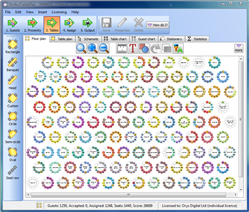
When we sat down to lay out the seating chart, we projected the floor plan of 120 tables onto a large screen. I drove the mouse while the rest of the group worked with smaller charts and notes. We had 1200 people placed on the chart in just about four hours (we really couldn't use the auto assignment). I can't tell you how many times I heard, "wow" and "that's cool", and I did the drag and drop. The whole process was completed in less than half the time that it took for less than half the guests last spring.
 Making
the inevitable changes the afternoon before the event was a
breeze. The evening before the event, we made copies of the guest
lists for the registration tables, and copies of the floor plans on
11"x17" paper to have at each registration table. At each table we
place a copy of the Table Plan for that table to help the Table Captain
and guests get to know each other. At the last minute, I found out
how to print out the floor plan showing the unassigned tables. I
printed that out and gave it to the people responsible for seating the
walk-ups and the "emergency" or "problem" guests.
Making
the inevitable changes the afternoon before the event was a
breeze. The evening before the event, we made copies of the guest
lists for the registration tables, and copies of the floor plans on
11"x17" paper to have at each registration table. At each table we
place a copy of the Table Plan for that table to help the Table Captain
and guests get to know each other. At the last minute, I found out
how to print out the floor plan showing the unassigned tables. I
printed that out and gave it to the people responsible for seating the
walk-ups and the "emergency" or "problem" guests.
On the day of the event, we processed and seated 1100 people in just about 30 minutes. This was largely due to your software and the features it provided.
We even received compliments at the registrations process!"
Jim Beattie, Society of St. Vincent de Paul
http://www.stvincentdepaul.net
Anniversary dinner, Rank Foundation
 "My
event went really well. I organised an event for 260 people at the
Waldorf Hotel in London for a formal sit down dinner, it was the first
time I had organised anything on this scale. I had already started
using an Access Database to start planning my event when I was
recommended the Perfect Table Plan software, I have to say I was
dubious as I was already well on the way with my plans but as the
programme was only £25 I thought I would give it a try.
"My
event went really well. I organised an event for 260 people at the
Waldorf Hotel in London for a formal sit down dinner, it was the first
time I had organised anything on this scale. I had already started
using an Access Database to start planning my event when I was
recommended the Perfect Table Plan software, I have to say I was
dubious as I was already well on the way with my plans but as the
programme was only £25 I thought I would give it a try.
I never looked back, it was easy to use, I uploaded all my records onto Perfect Table Plan and then relied on that to plan for the rest of the event. Firstly I was able to set up a copy of the layout of the tables in the Hotel Dinning area onto PerfectTablePlan - shows number of tables, which you can move around to mirror the hotel layout and number of seats per table. This was great - so as guests confirmed I could "drag" their name onto a table - you can then look at your event as a whole and make sure you have a good balance of guests per table, it really helped cope with the last minute stress of late cancellations and last minute bookings.
Once I was happy with the layout I down-loaded the table layout and emailed it to the hotel. You can select from a number of formats - the two I preferred were the alphabetical name list, showing the table number which I also used for my registration list to check into the event. The other was a list of the guest names on each table showing dietary requirements, which I gave to the hotel to use.
I believe my planning time was cut down by a third but the main benefit to me was the ability to look at the Event as a whole on the plan, so when numbers went down I was able to cut the number of tables and rearrange the guests accordingly. I also used the individual table sheets to send to each allocated "table host" so they had an idea before the event who they would be sitting with.
I would most definitely recommend the software to anyone who plans events and look forward to using it again."
Helen Stockdale, The Rank Foundation
http://www.rankfoundation.com
Company conference dinner, NERA
 "After
attempting to make a simple, drag-and-drop solution for seating
management, we found Perfect Table Plan. It has made planning
dinners for large company conferences far easier and more flexible than
our previous method of moving around index cards on a large table.
Additionally, the combination of its export features and simple XML
format has enabled us to extend the software in combination with our
databases, allowing us to easily import and keep up to date hundreds of
guests in seconds.
"After
attempting to make a simple, drag-and-drop solution for seating
management, we found Perfect Table Plan. It has made planning
dinners for large company conferences far easier and more flexible than
our previous method of moving around index cards on a large table.
Additionally, the combination of its export features and simple XML
format has enabled us to extend the software in combination with our
databases, allowing us to easily import and keep up to date hundreds of
guests in seconds.
This software has doubtlessly saved us time and prevented at least some of the stress of these hectic conferences. Perfect Table Plan was a great find and a great purchase; I am sure it will be used over and over again for future company events."
Alex Beutel, NERA Economic Consulting
http://www.nera.com
National Prayer Breakfast, Canberra
"The most time consuming part of organising this function is always the seating. Up to 500 people attend on 50 tables. There are a wide range of protocols, as well as mix of guests to be considered and each table is carefully arranged with designated seating. For example we aim for two Members of Parliament at each table, from the same party and seated opposite each other but not with their back to the stage, and where possible a male and a female. The top tables are significant with diplomats, guest speakers and head of churches and government. Each table is a mix of denominations and gender and special requests. The Prime Minister and VIPs have additional requirements and maybe a body guard or two. Attendance is often changed at the last minute, this year we didn't know if the Prime Minister would arrive as he was coming from overseas. This meant building in flexibility to fill spaces as it is not nice to have a space on the top table. We arranged a possible stand-in and strategically placed students in positions where they could be juggled if necessary. Add to this the security requirement that the Table Seating list had to be published and printed on the wall.
In past years we have done this manually and it has been really difficult. This year we used PerfectTablePlan and it made it so much easier. We could change people around quickly, see where the gaps were, see the group each person belonged to so we could mix and match. Then we could review and check to easily make improvements and incorporate changes. Name tags designated the table number so needed to be correct and reprinted if a change was made. The search function was ideal for this.
The main benefit was having the sense that we were in much better control. With so many last minute changes things can be chaotic, but we were able to incorporate the changes and instantly see the results. Thank you PerfectTablePlan for making our function so much easier to organise."
Teri Kempe
Anniversary dinner, Doncaster YMCA
 "We
used Perfect Table Plan to help with planning our 150th Birthday
Dinner. Our guests ranged from older members in their 60s and 70s
to the young people who live in our Hostel, so it was really important
to mix people carefully.
"We
used Perfect Table Plan to help with planning our 150th Birthday
Dinner. Our guests ranged from older members in their 60s and 70s
to the young people who live in our Hostel, so it was really important
to mix people carefully.
We found Perfect Table Plan after weeks of struggling with little bits of paper. Being able to do it all on the computer was brilliant, and we were able to make changes up to the last minute with very little effort. For us, it was important that some people were placed really carefully, and it was great to be able to rotate tables and make switches without having to start again from scratch.
We gave ourselves an extra challenge by offering three choices for each of the three courses - a great idea, but we worried about people forgetting what they'd chosen. Being able to print menu choices onto the place cards automatically was the perfect solution, and we were also able to give the kitchen a printout of meals for each table.
All of the printouts were very impressive - looked as though they'd taken lots of money and piles of effort, when in fact it was less than twenty pounds and a couple of hours work.
Looking forward to being able to using it again - it's the perfect tool for girls who like to plan dream weddings!"
Louise Roffey, Doncaster YMCA
http://doncasterymca.org.uk
Wedding reception, Cathrin D'Entremont Weddings
 "Recently
a bride hired my services because she had enough and could not deal
with the venue coordinator anymore. The function coordinator was going
to add the hired dance floor on front of the open kitchen. (Dancing
while watching the kitchen staff is cleaning the kitchen!) They also
only had 100 chairs for a wedding with 109 guests. The bride made up
her own floor plan, but the function coordinator told her that this
cannot be done.
"Recently
a bride hired my services because she had enough and could not deal
with the venue coordinator anymore. The function coordinator was going
to add the hired dance floor on front of the open kitchen. (Dancing
while watching the kitchen staff is cleaning the kitchen!) They also
only had 100 chairs for a wedding with 109 guests. The bride made up
her own floor plan, but the function coordinator told her that this
cannot be done.
I took all the measurements from the venue, transferred it to Perfect Table Plan (minus a curved wall) and proved to the function coordinator that the tables can be arranged the way the bride wanted them and the dance floor can be on front of the bridal table with extra chairs brought in to fit the theme. It was tight with the tables been only 0.90m wide, but manageable.
As you can see with every wedding being different how important your software has become. The venue is now incidentally placing the dance floor at the same spot, as they know now that it works!"
Cathrin D'Entremont, Cathrin D'Entremont Weddings
http://www.cdweddings.com.au