To add a guest to an existing group:
1.Select Insert>Single Guest, the  Insert Guest window will appear.
2.Choose Add to existing from the Group drop-down list in the Group tab.
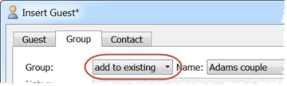
When you insert a guest into a group they will be added as the last member. But you can change the order of guests in a group.
See also: